| Product/Service: | NRL Learning Centre |
| Permission Required: | NRL.com Account with linked Member Profile |
All Rugby League Participants can access their own personal profile to view the accreditation's they hold in the game at profile.mysideline.com.au
Viewing on MySideline Profile
STEP 1 - Once logged into your MySideline Account, the menu in the top left, once clicked, should display the following options:
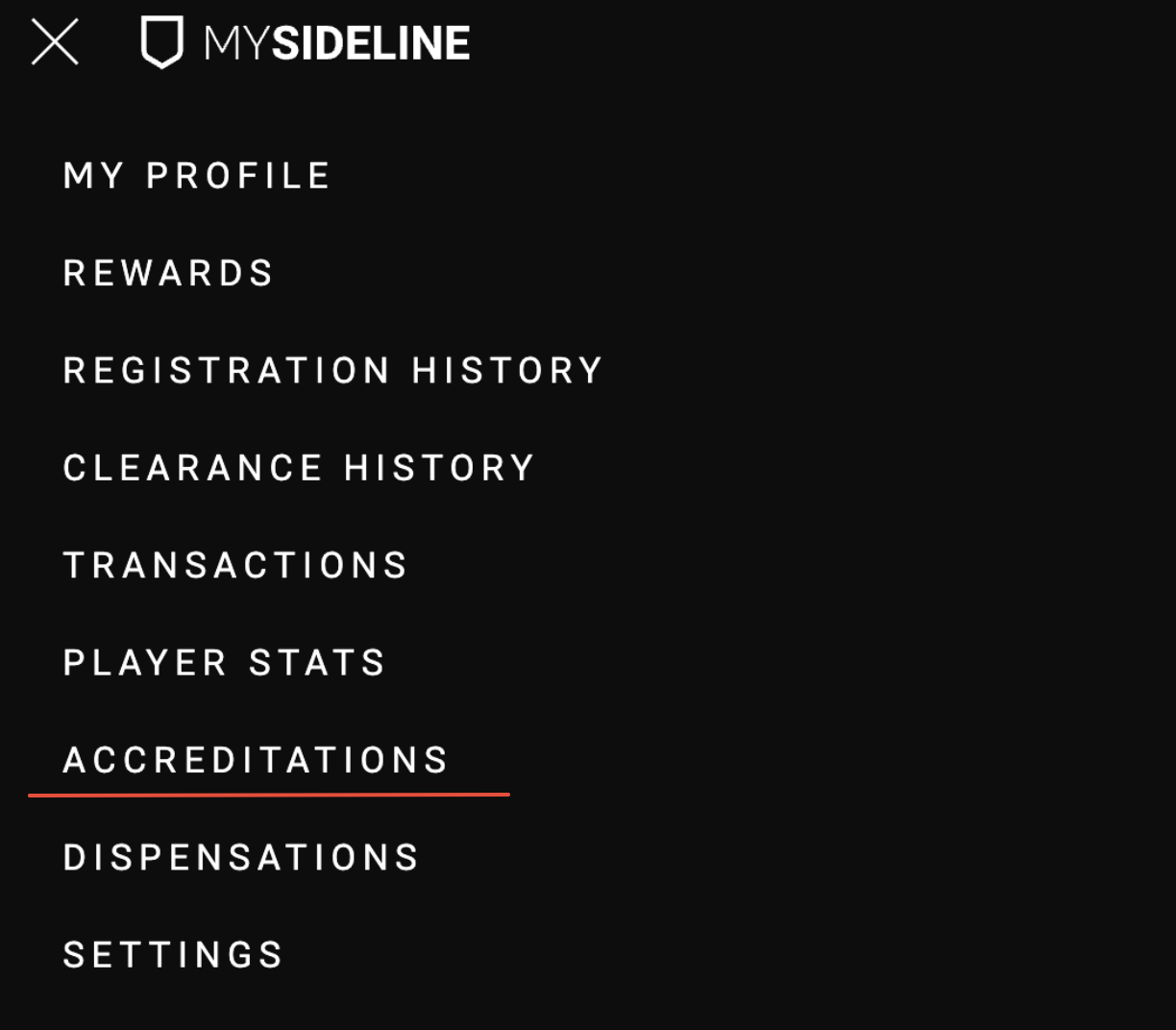
STEP 2 - Click on the Accreditations option. This will redirect you to a new page with a drop down menu option.
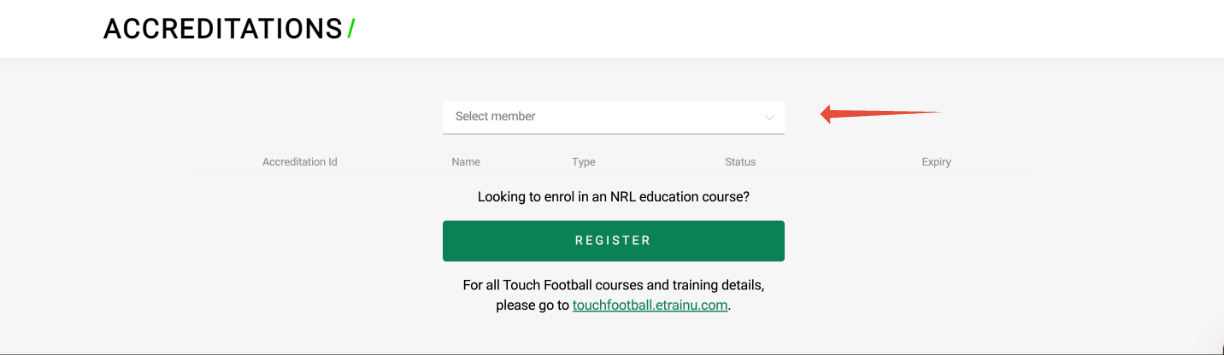
STEP 3 - From the drop down, select the Member you wish to view the accreditations for.
STEP 4 - You can now view the accreditations held by your selected member. You will be provided with your accreditation ID, Name, Type, Status and Expiry for reference.
Viewing in the NRL Learning Centre.
Members may also wish to view their accreditation via the NRL Learning Centre.
STEP 1 - Once logged in to the NRL Learnring Centre, select "MY ACCREDITATIONS" in the top right.
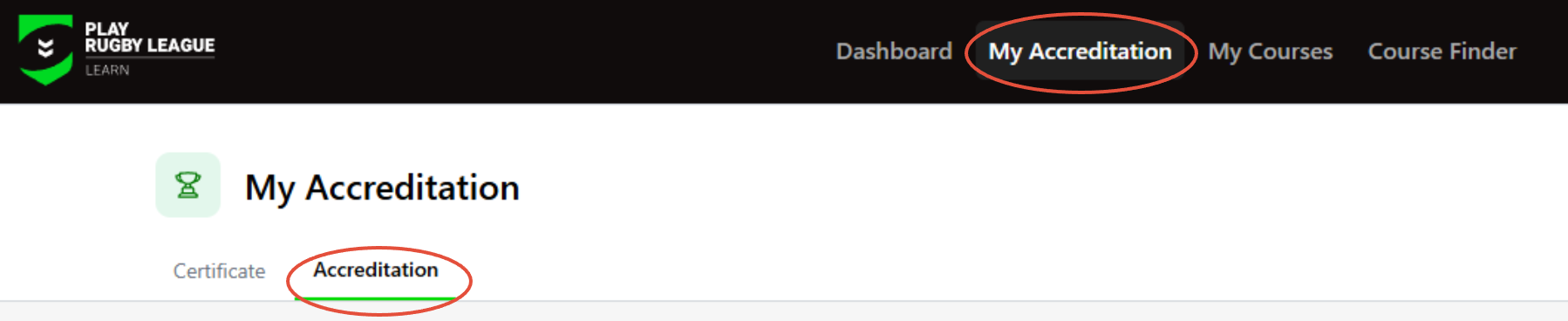
STEP 2 - Here you can view your different accreditations, Status, when they were issues, and their expiry.
RELATED ARTICLES
Was this article helpful?
That’s Great!
Thank you for your feedback
Sorry! We couldn't be helpful
Thank you for your feedback
Feedback sent
We appreciate your effort and will try to fix the article